
How to Open Airbnb Account by Temp Mail
Opening an Airbnb account usually requires a valid email address to receive verification codes and notifications. If you prefer not to use your personal email for registration, you can easily use Temp Mail to create a temporary, disposable email address. This method is especially useful for testing, privacy protection, or managing multiple Airbnb accounts without cluttering your main inbox.
Table of Contents
- Why Use Temp Mail for Airbnb
- Step-by-Step Guide to Open Airbnb Account
- Tips for Using Temp Mail Effectively
- Limitations of Using Temp Mail
- Conclusion
Why Use Temp Mail for Airbnb
Using a Temp Mail address offers several advantages when creating an Airbnb account:
- Privacy Protection: Avoid sharing your personal email and reduce the risk of spam.
- Multiple Accounts: Easily create more than one Airbnb account for testing or business purposes.
- Temporary Use: Only use the email to receive verification codes or temporary messages without long-term commitments.
- Simple Setup: No registration required to generate a temporary email address instantly.
Step-by-Step Guide to Open Airbnb Account
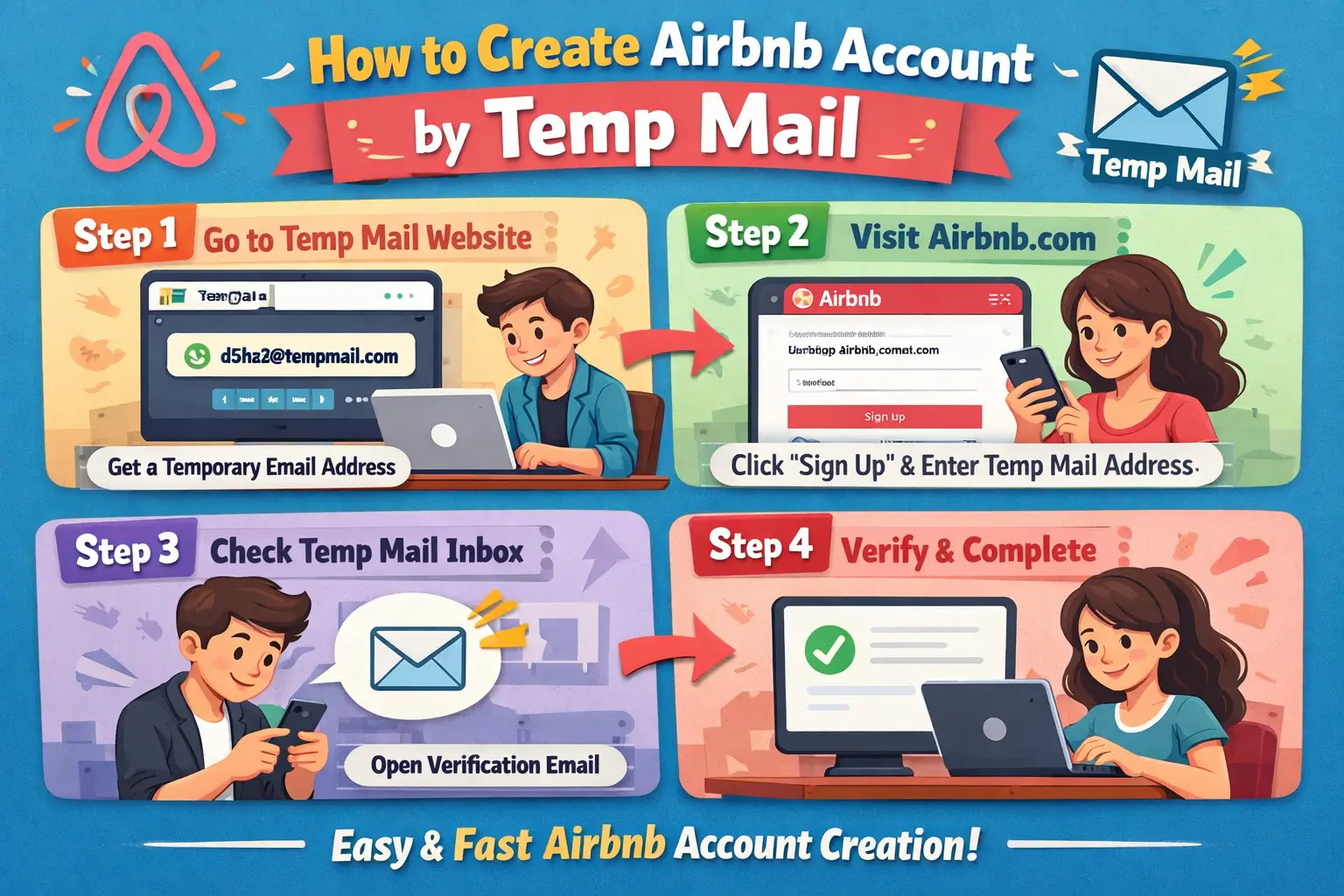
Follow these simple steps to open an Airbnb account using Temp Mail:
| Step | Instructions |
|---|---|
| 1 | Visit Temp Mail and copy the temporary email address displayed on the screen. |
| 2 | Open the Airbnb website or app and click on the "Sign Up" button. |
| 3 | Select "Email" as your signup method and paste your Temp Mail address in the email field. |
| 4 | Create a strong password for your Airbnb account and fill in any other required details such as your name and birthdate. |
| 5 | Click "Sign Up" to receive a verification email on your Temp Mail inbox. |
| 6 | Go back to Temp Mail and open the email from Airbnb. Click the verification link to activate your account. |
Tips for Using Temp Mail Effectively
- Always copy your temporary email before leaving the Temp Mail page as some addresses are session-based.
- Check the inbox frequently for the verification email, as temporary emails can expire quickly.
- Use a password manager to store login credentials if you plan to reuse the Airbnb account later.
- Do not use Temp Mail for important communications, since emails may be deleted after a short period.
Limitations of Using Temp Mail
While using Temp Mail is convenient, there are some limitations:
- Temporary email addresses may expire, potentially causing issues if you need to reset your Airbnb password later.
- Some Airbnb features, such as payment verification or host messaging, may require a permanent email.
- Accounts created with temporary emails may be flagged by Airbnb if suspicious activity is detected.
Conclusion
Creating an Airbnb account using Temp Mail is a quick and easy way to maintain privacy and manage multiple accounts. By following the step-by-step guide and keeping in mind the limitations, you can safely use temporary emails for account verification without exposing your personal inbox. This method is especially useful for travelers, hosts testing multiple listings, or anyone who prefers to keep their personal email secure.